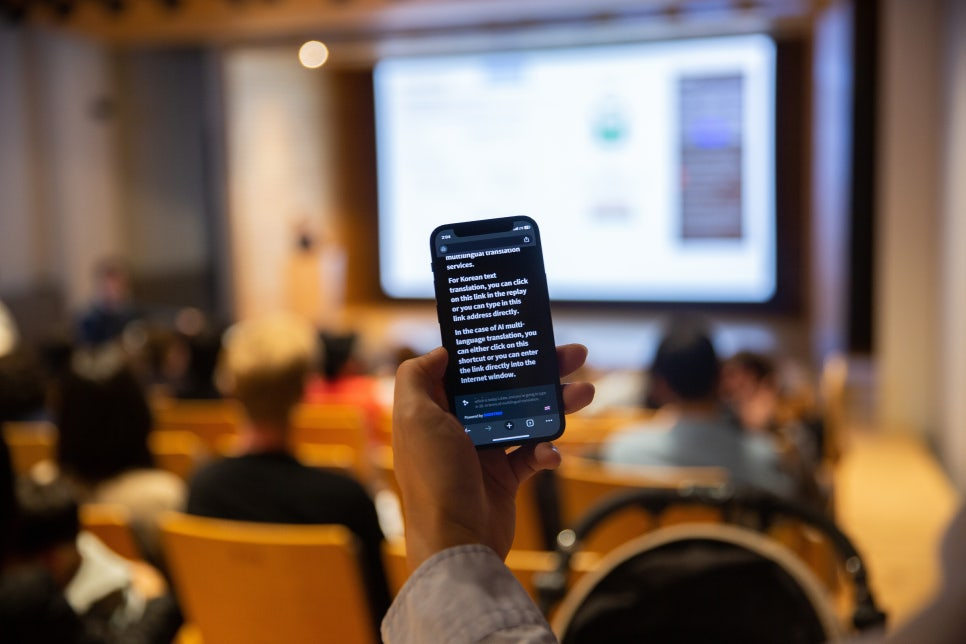
EventCAT Conference provides a QR code access feature that allows the audience to view real-time translated subtitles directly on their mobile phones or tablets.
Even without a separate screen at the venue, users can easily access the subtitles through their personal devices, making it useful in a wide range of settings such as educational institutions, academic conferences, and government events. Additionally, for international events or panel talks, each VIP or panelist who uses a different language can be provided with subtitles on individual tablets.
How to Provide a QR Code for Audience Scanning:
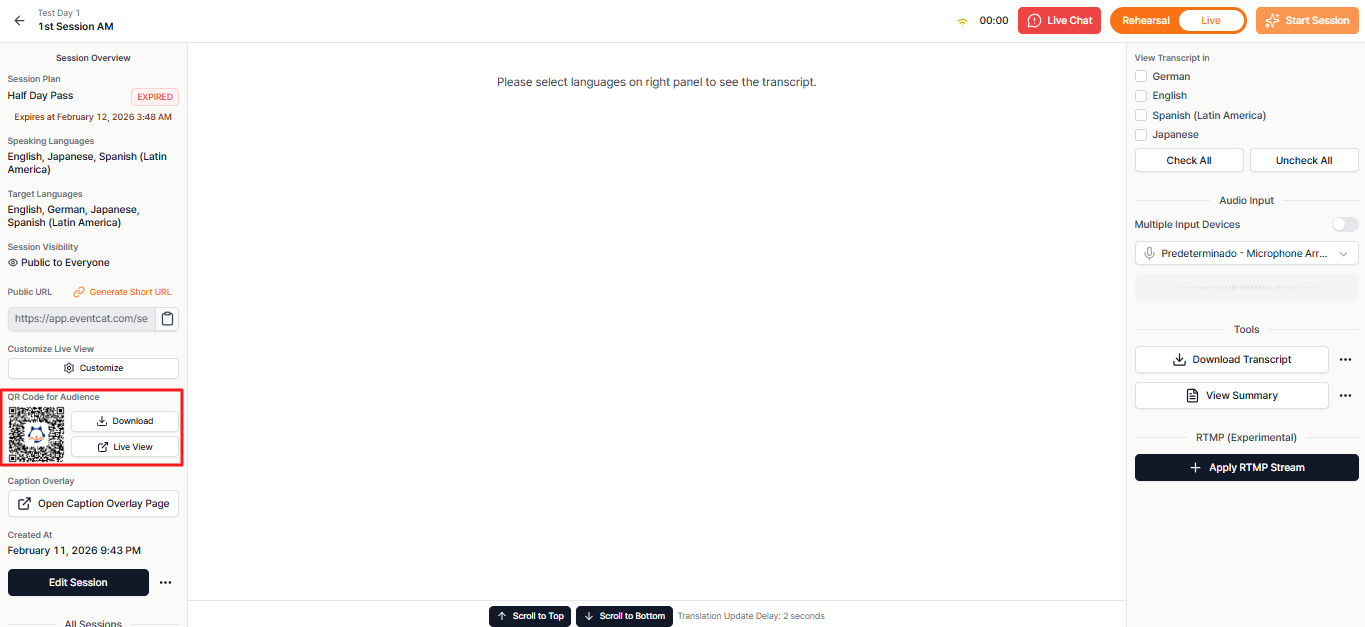
1. Access Controller Page
Log in to the controller page of the session that will provide real-time translated subtitles.
2. Download QR Code
a. Download the QR code image file (PNG) from the left sidebar.
3. How to Place the QR Code at the Event Venue:
a. Display it on the venue screen before the event starts.
How to Display the QR Code at the Venue:
The QR code is already implemented in the top-right corner of your Live View, ready to be downloaded in case you haven’t done so from the dashboard, and displayed to the audience.
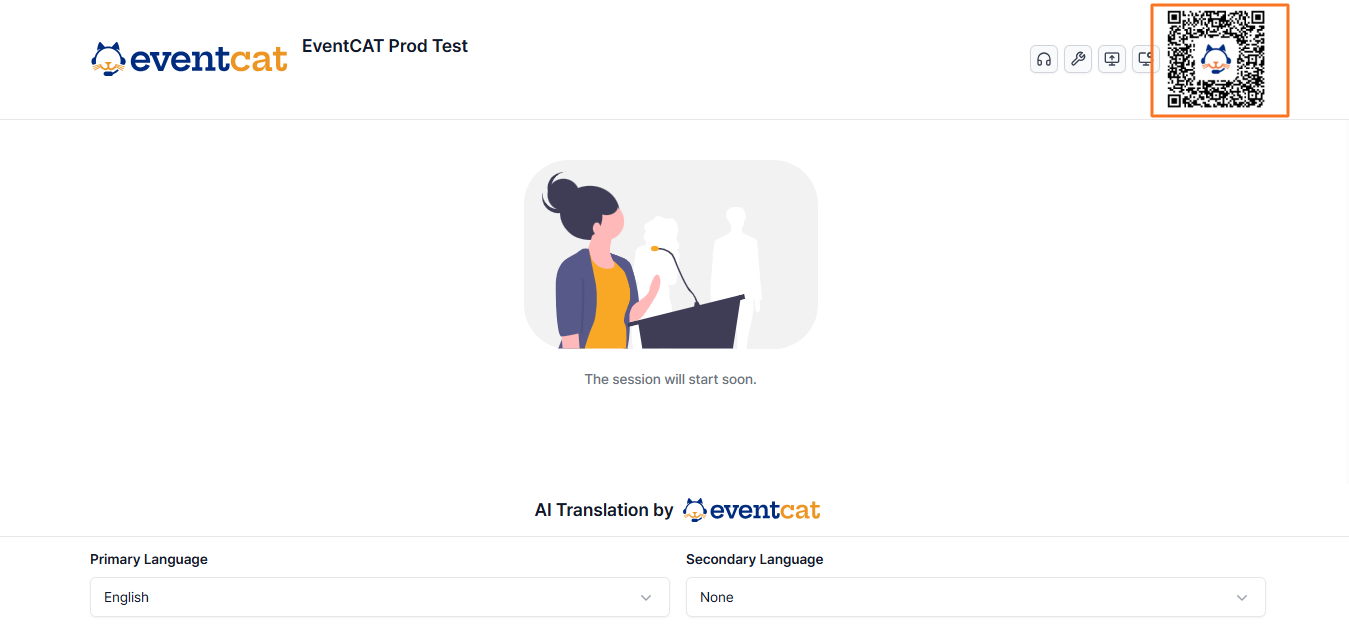
1. Audience Language Selection
a. The audience who scans the QR code accesses the subtitle page via their own mobile browser and can select their preferred language to view real-time subtitles.
2. Audience Language Selection
b. Once the QR code is scanned, the audience can access the subtitle page via their mobile browser and choose their preferred language to view real-time subtitles.
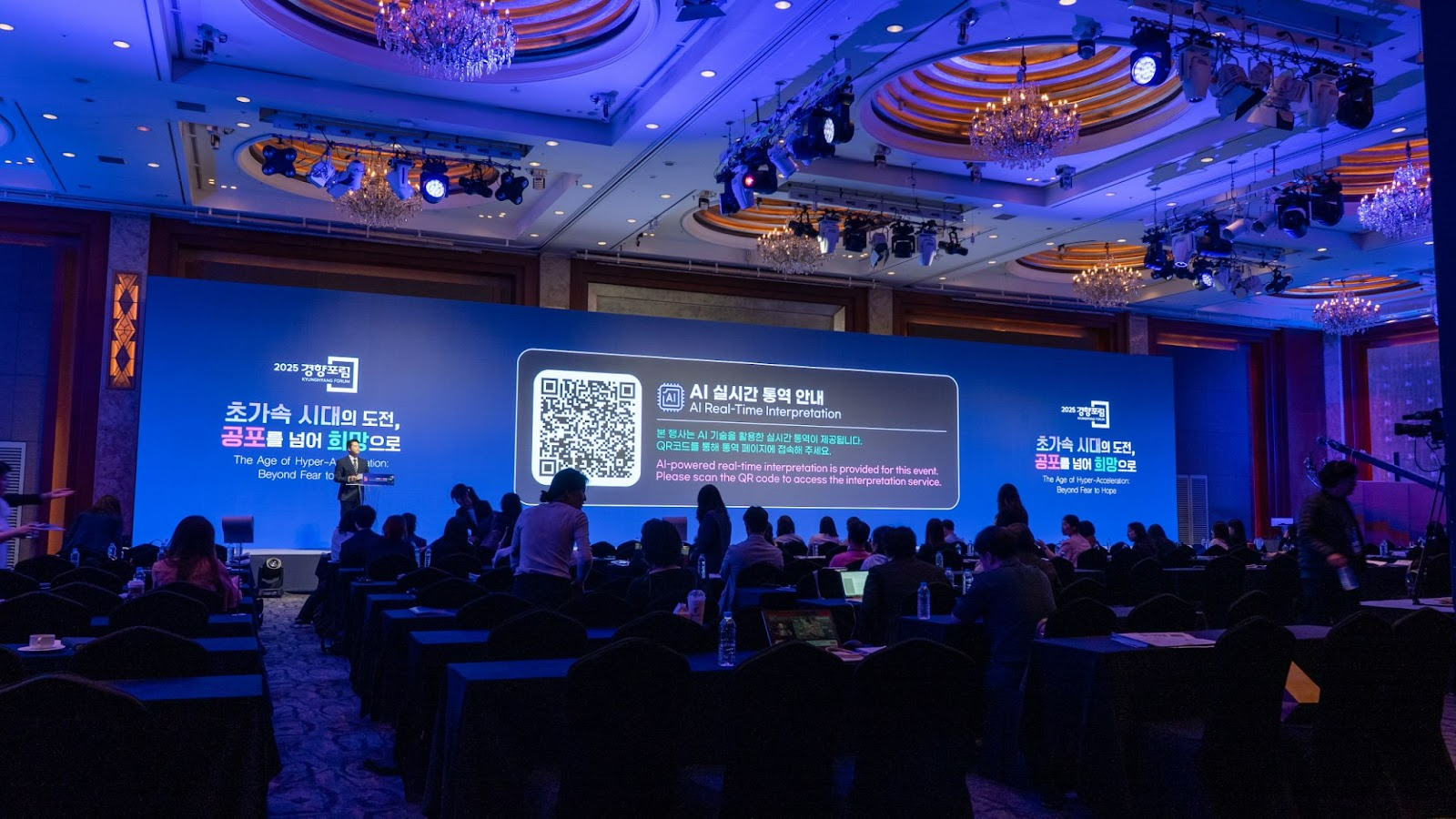
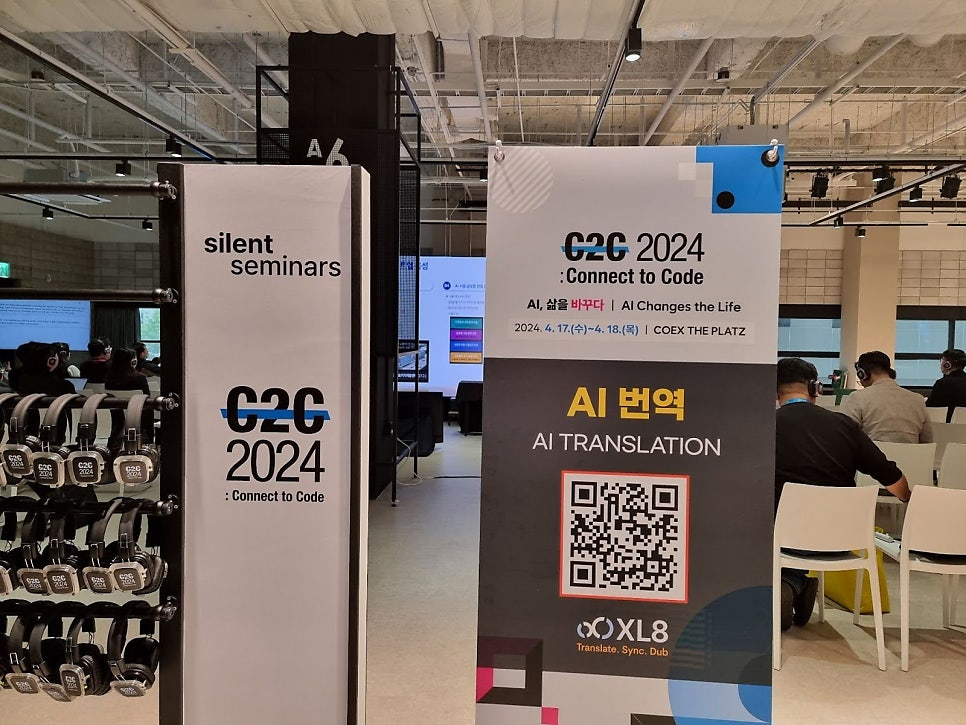
References for Events That Used QR Code-Based Real-Time Subtitles:
- Leeum Museum of Art multicultural family invitation event
- TEDxSeoul
- Connect to Code 2024
- High Output Club – Lecture by Nathan Sharp, former Meta PM & founder of the ‘Retro’ app
Was this article helpful?
That’s Great!
Thank you for your feedback
Sorry! We couldn't be helpful
Thank you for your feedback
Feedback sent
We appreciate your effort and will try to fix the article